A canteen that balances itself
Replace the cash box with a till that knows every student, enforces every parent’s limit, and reconciles at the end of the day.
Everything the canteen and the office need
And nothing anybody has to be trained on twice.
A till on any device
The canteen attendant signs in on a phone, a tablet, or the desktop console. The only extra hardware is the fingerprint reader on the counter.
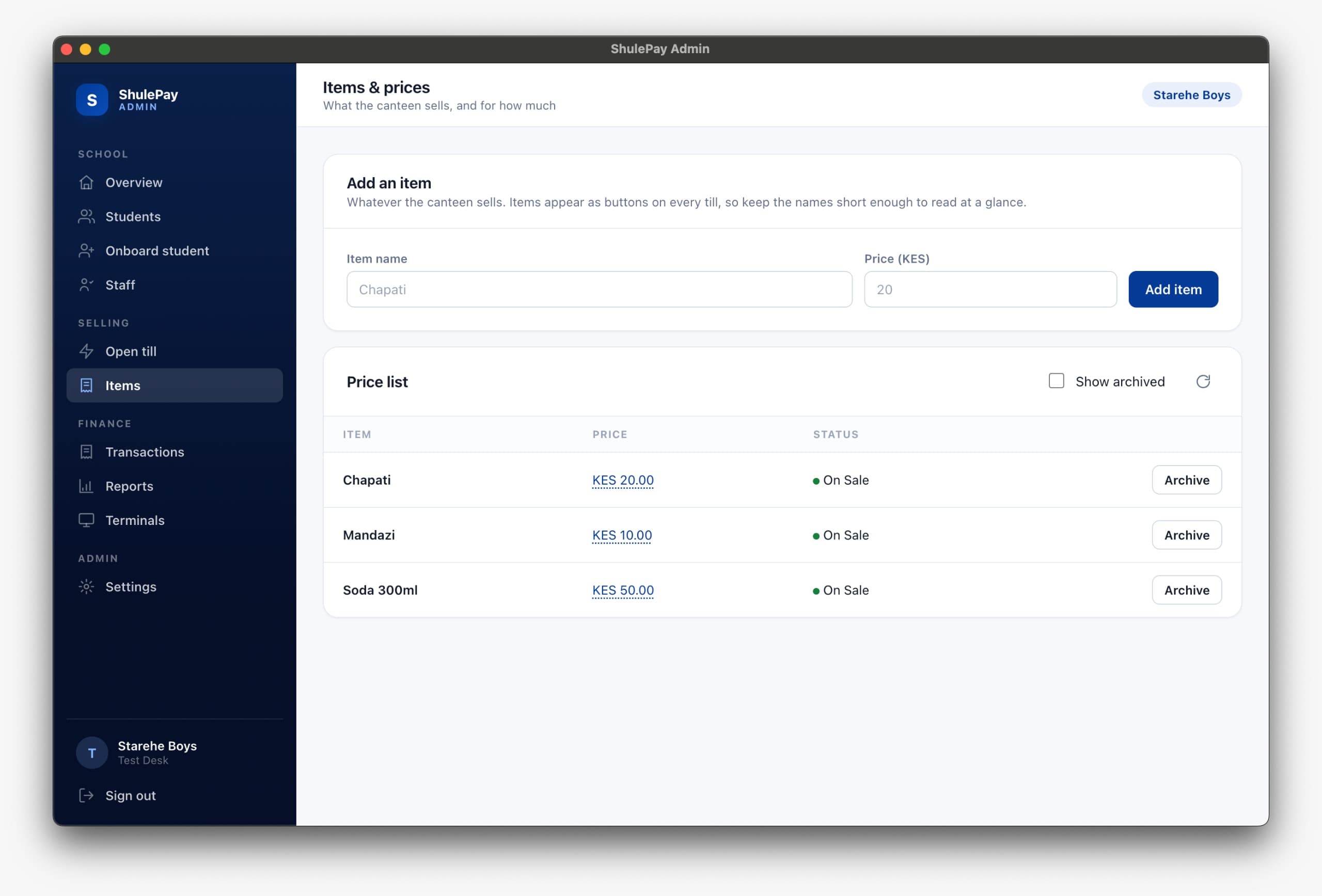
A priced item list
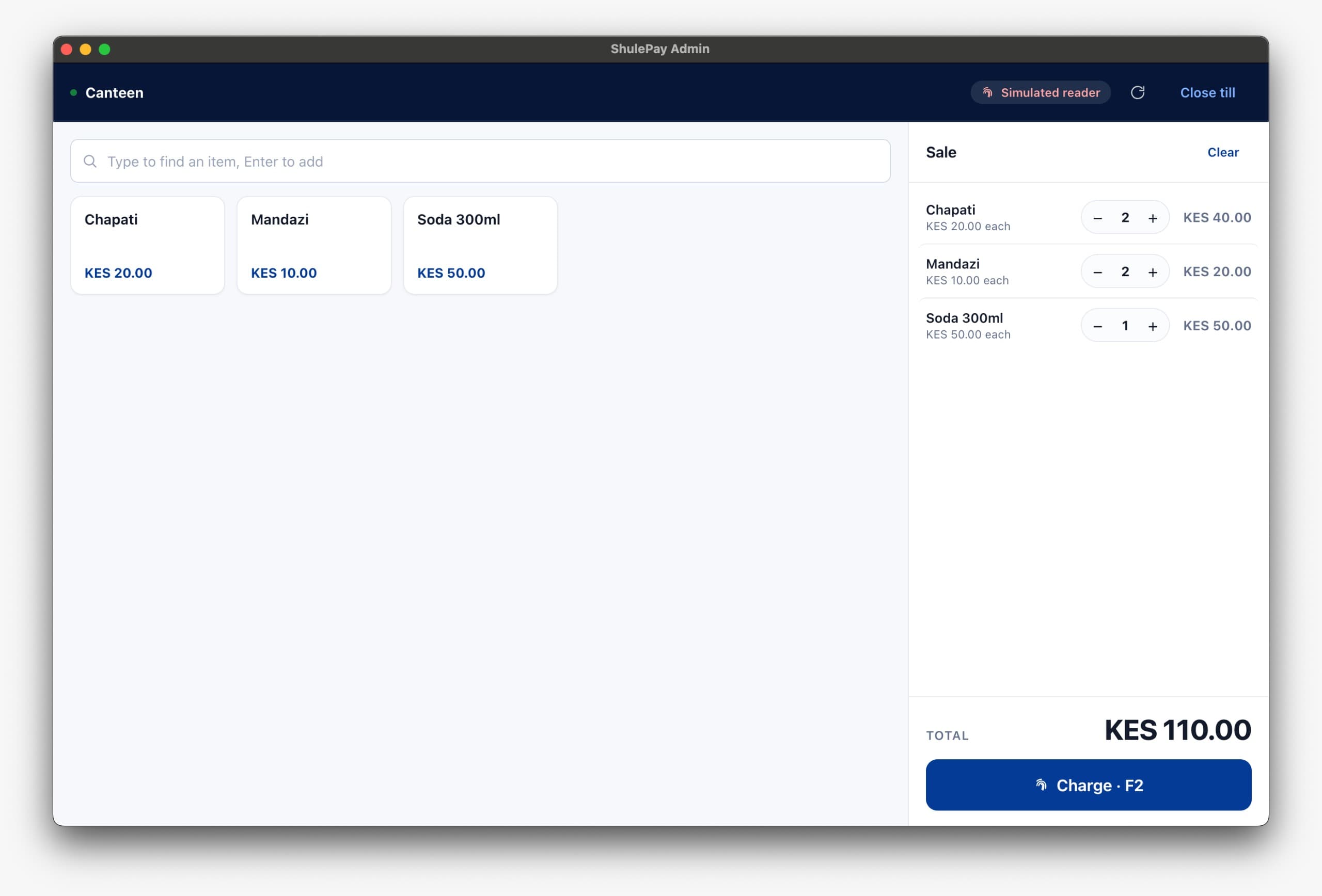
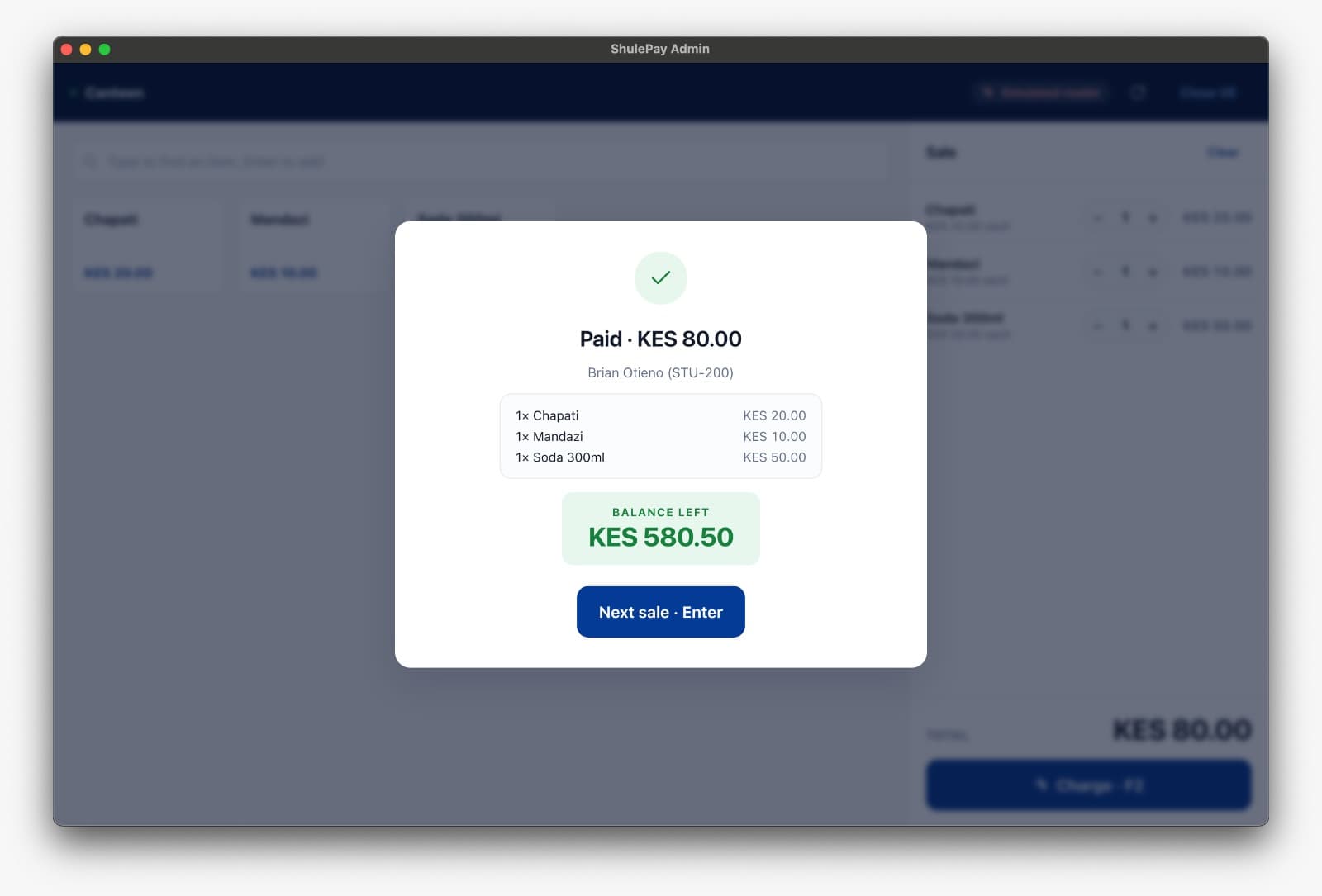
Add what the canteen sells and what it costs. Items appear as buttons on every till, and every sale is itemised. You know you sold forty chapatis, not just that you took eight hundred shillings.
Look a student up
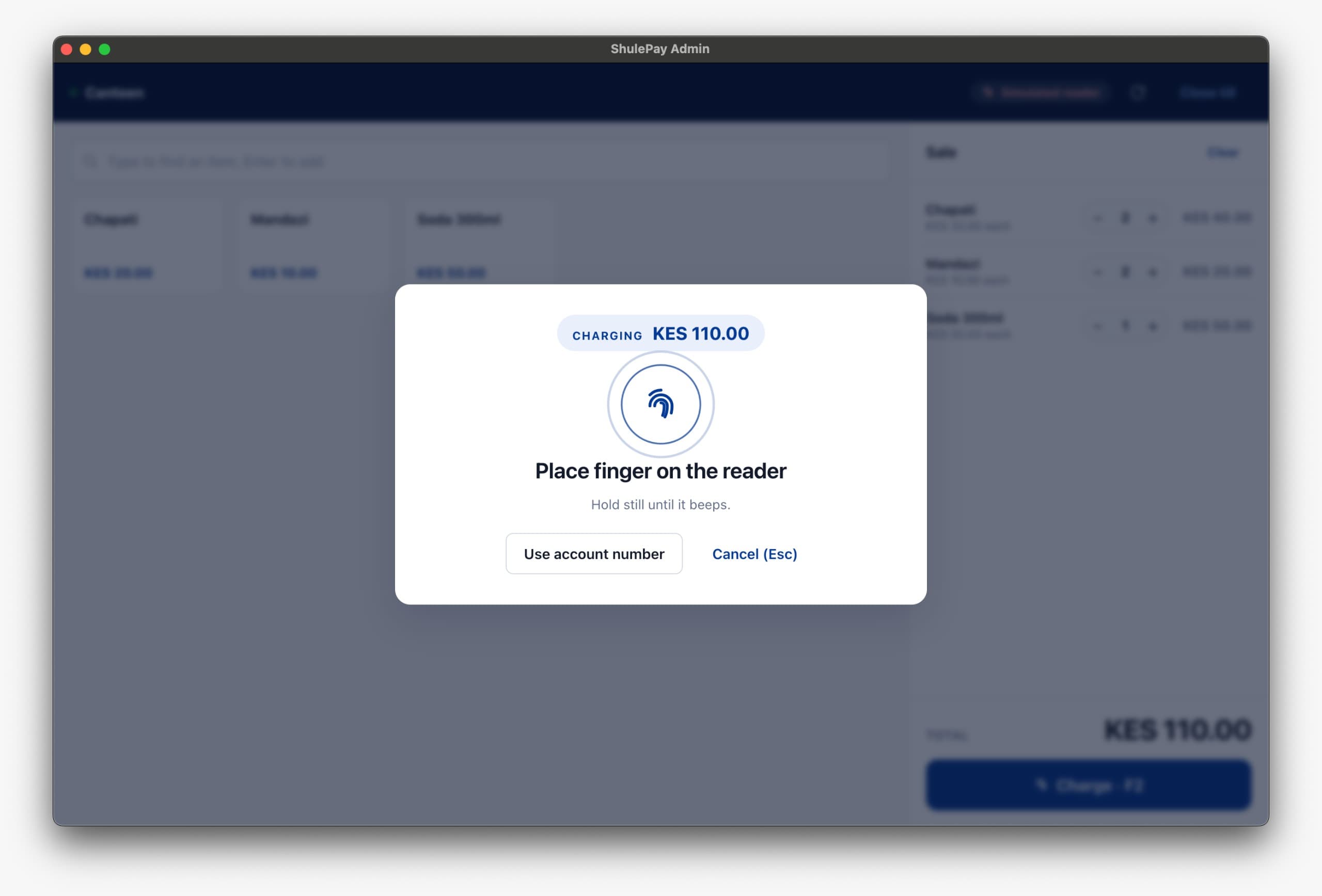
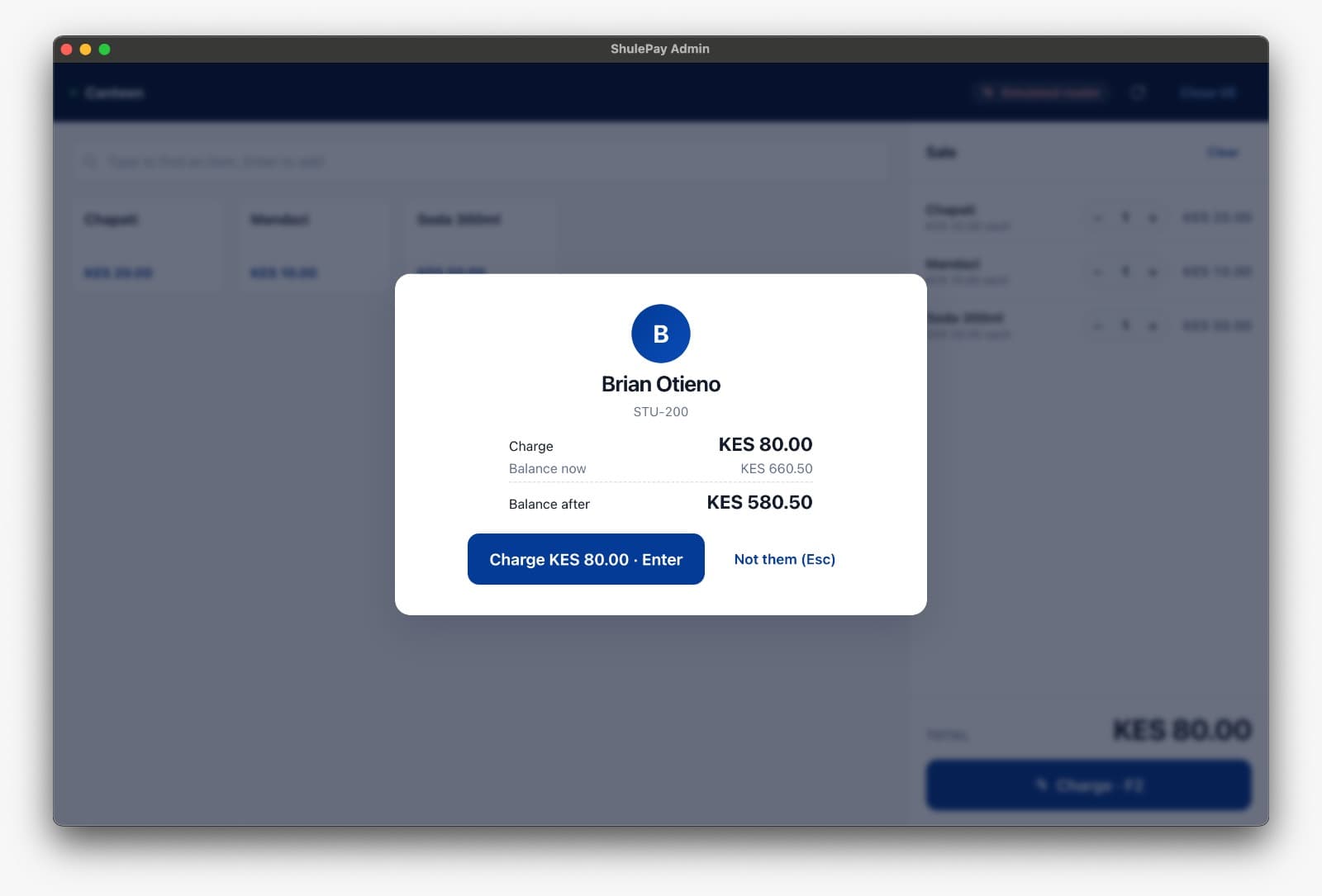
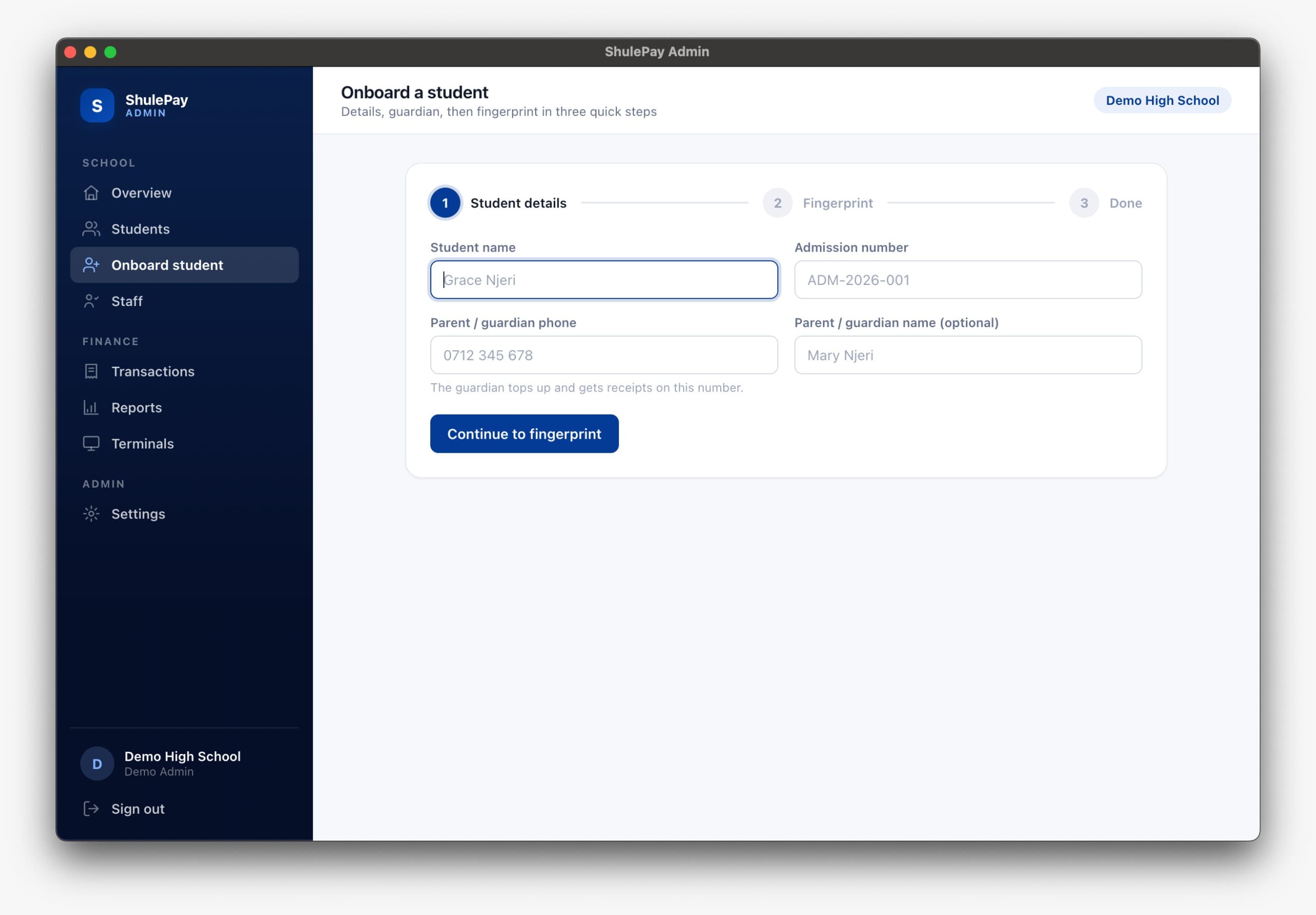
Find a student by fingerprint or by admission number, and see the balance and what it will be after the sale before you charge anything.
One key per till
Every terminal authenticates with its own key. If a device walks off, disable that one and every other till keeps trading.
Staff and permissions
Colleagues sign in with their own phone and password at the permission level you choose, so every sale is attributed and nobody shares a login.
Books that close
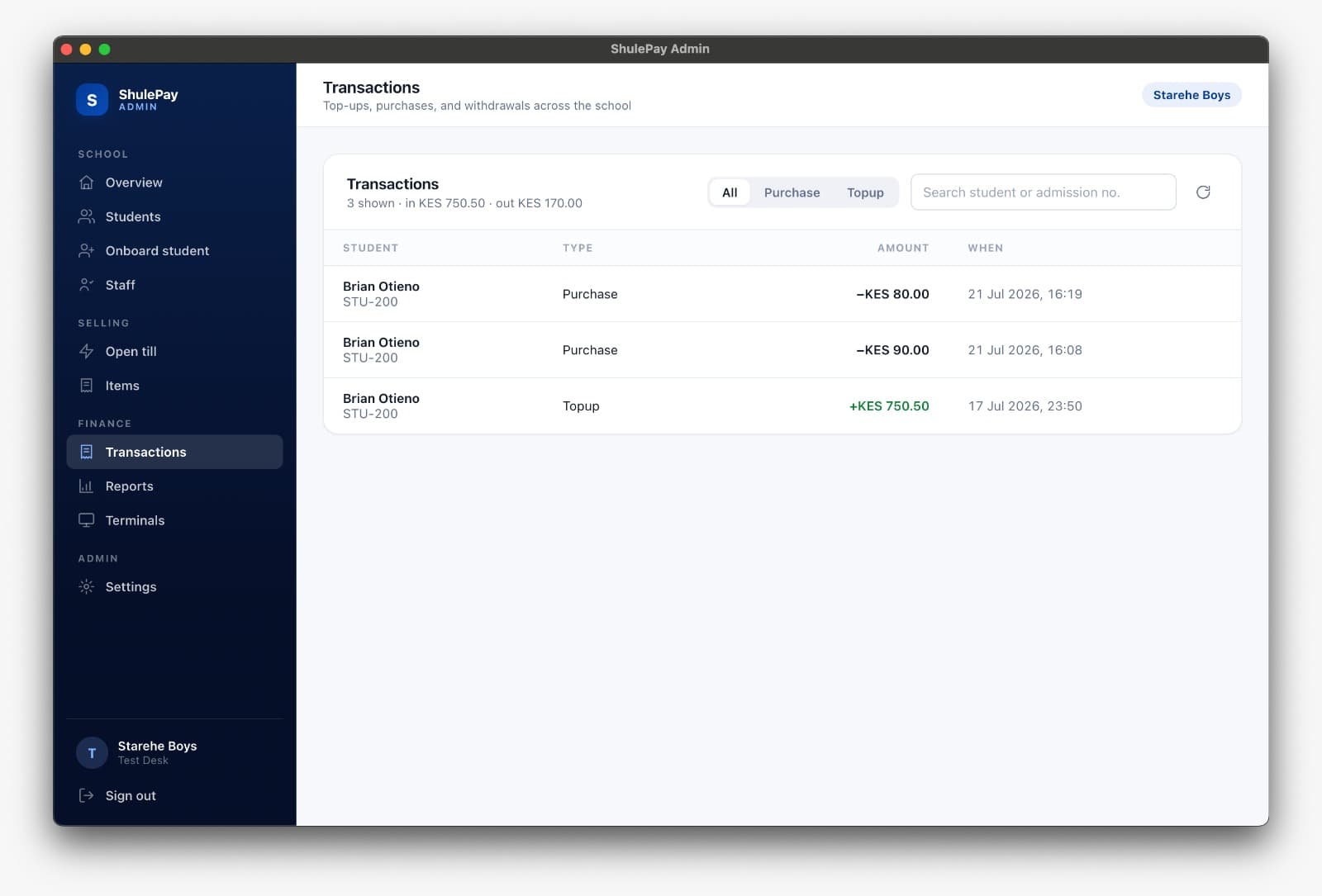
Transactions, reports, and a daily integrity check that compares what M-Pesa says against what the ledger says, then tells you the moment the two stop agreeing.
One sale, start to finish
Four screens from the real console. This is the whole interaction a canteen attendant has to learn.
And the office sees all of it
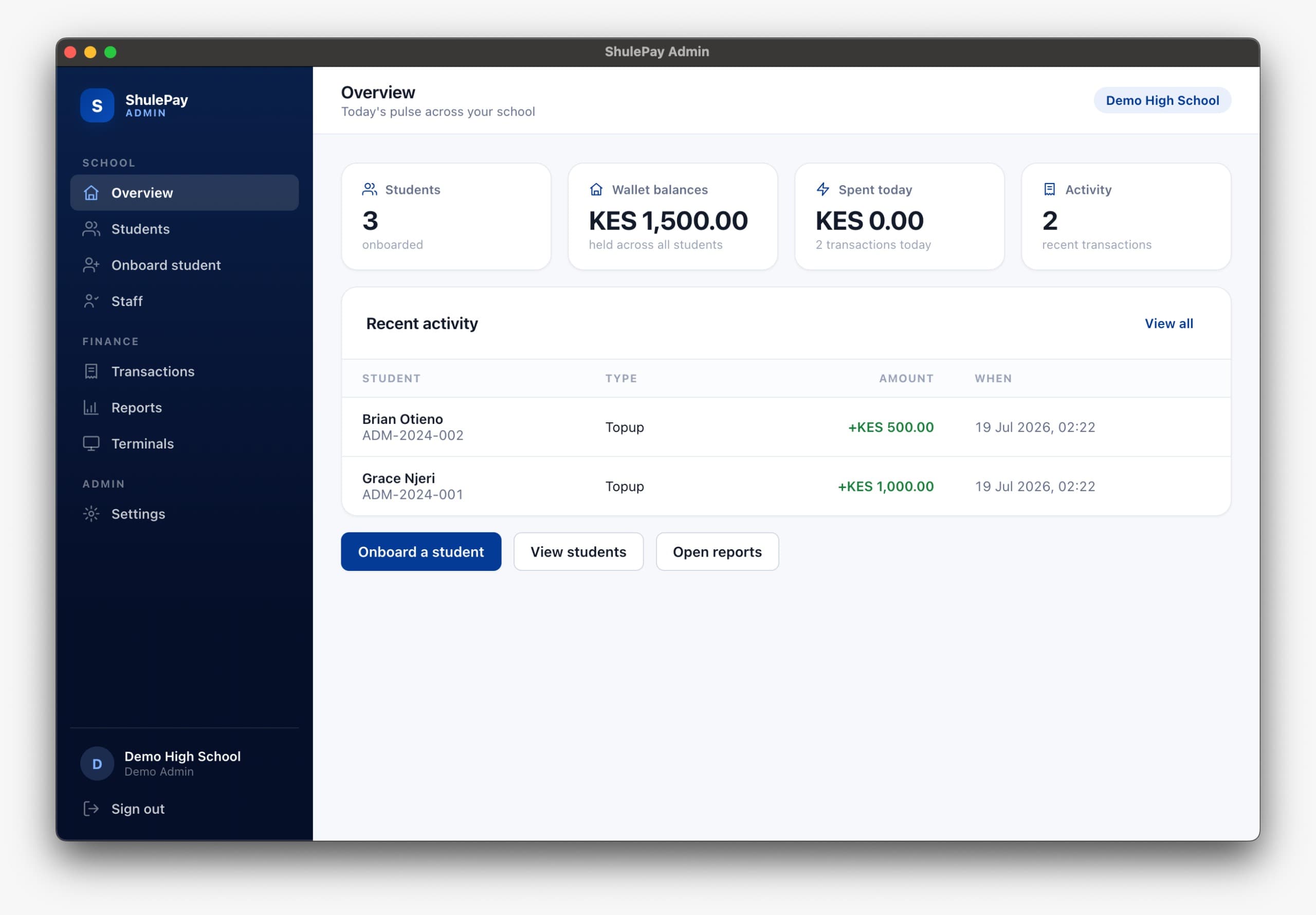
Every till in the school reports into one console.
Try it with one canteen, one term
Start deliberately small: one canteen, one term, and us close at hand throughout. If it does not make the office’s life easier, it has not worked.
We usually reply within two working days.